

Play together
Browser Games to Play on a Discord Call, Each on Your Own Screen
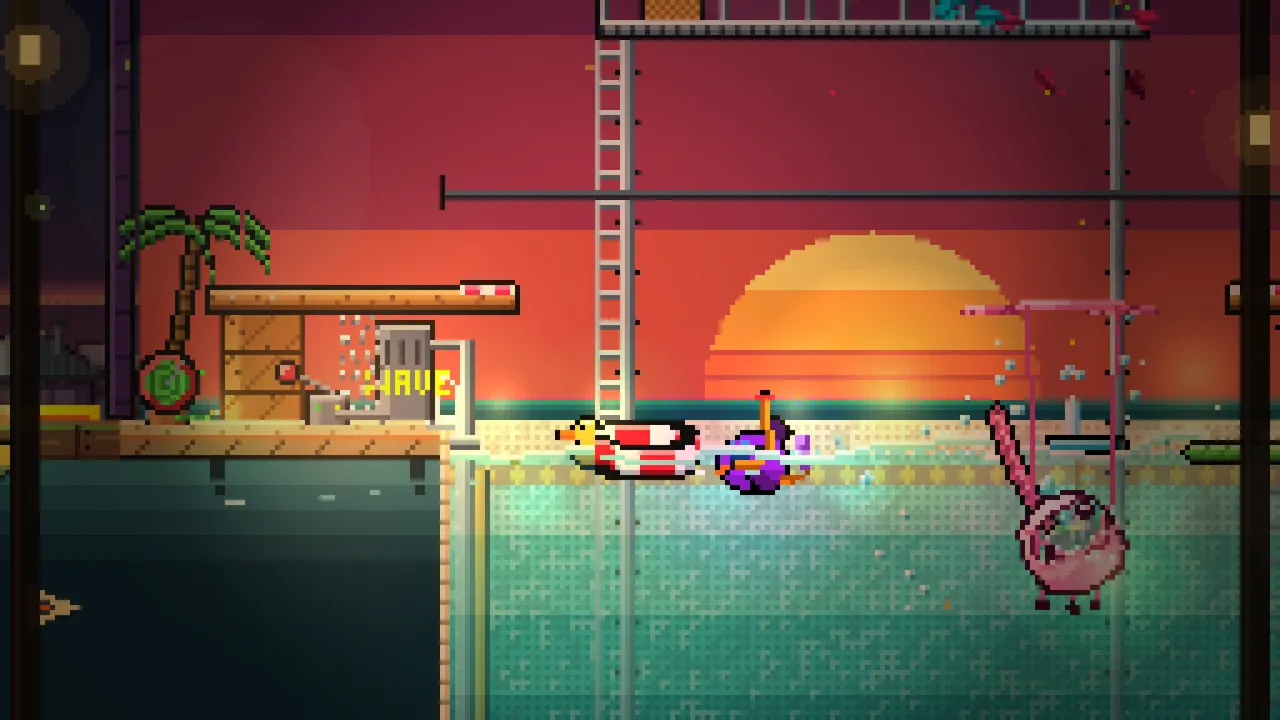
- The easiest Discord game night: stay in the voice channel, everyone opens the same browser game in their own tab, and the host shares a room code.
- Pecking Order holds up to 20 players, free to play; Rogue Defenders 1 to 4, free to try; Hearthfall 1 to 4 with the Pixaplay Pass.
- Discord's own Activities launch from a voice channel's rocket button and are free; they suit groups that all use Discord.
- Pixaplay has text chat but no voice, so Discord stays your voice channel.
The best browser games to play on a Discord call let everyone open the game in their own tab while the call carries your voices. Pixaplay's games work exactly like that: stay in the voice channel, one friend makes a room, the rest join with the code. Pecking Order is free to play for up to 20 friends.
It's Friday, the voice channel is full and someone types "what are we playing?" for the third time. Here's how to go from that to a room full of shrieking chickens in about five minutes. For the wider list of games for friends, see our guide to browser games to play with friends.
Why play in your own tab instead of screen sharing?
There are two ways to play together over Discord, and they feel nothing alike.
Screen share. One person runs the game and streams it; everyone else watches, maybe joining on a phone. That suits one-screen party games like Jackbox, where the host shows the board and players join at jackbox.tv (Jackbox). The catch: a fuzzy, delayed stream for everyone but the host.
Own tab. Everyone opens the same browser game and joins one room. You each get a crisp screen and your own character, and Discord just carries the trash talk. For anything with jumping, dodging or timing, this is the one: nobody can time a jump through a laggy stream.
Every Pixaplay game is built for the own-tab way. Pixaplay has text chat but no voice, so your Discord call fits right alongside.
The five-minute setup
This works for nearly every group:
- Get everyone into the voice channel first, so you can talk the stragglers through it.
- The host opens the game in a browser and makes a room.
- Paste the code in the text channel. Saying "F, K, Q, M" out loud goes wrong more often than you'd believe. Pasting it doesn't.
- Everyone joins. Late arrivals grab the same code.
- Play one short round before anyone touches the settings. People learn by playing, not by listening to rules.
If your group has Pixaplay accounts, it's even quicker. The host makes a party in the Pixaplay overlay (Shift+Tab), invites everyone, and the party follows the host into the room. Or friends tap Join next to the host's name in their friends list. All the ways in are in how to join a friend's game.
Which game fits the size of your call?
| On the call | Pick | Why it works with voices |
|---|---|---|
| 2 | Rogue Defenders | Team up with bots in the spare seats, or go 1v1 in Crystal Clash |
| 3-4 | Rogue Defenders or Hearthfall | Both built for 4, with roles that need talking |
| 4-20 | Pecking Order | One room for everyone; Fox in the Henhouse needs 4+ |
| 20+ | A drawing game like Gartic Phone | Bigger lobbies than any action game we know |
2 to 4 on the call: co-op that runs on chatter
Small calls are where co-op shines, because you can hear each other plan, panic and celebrate.
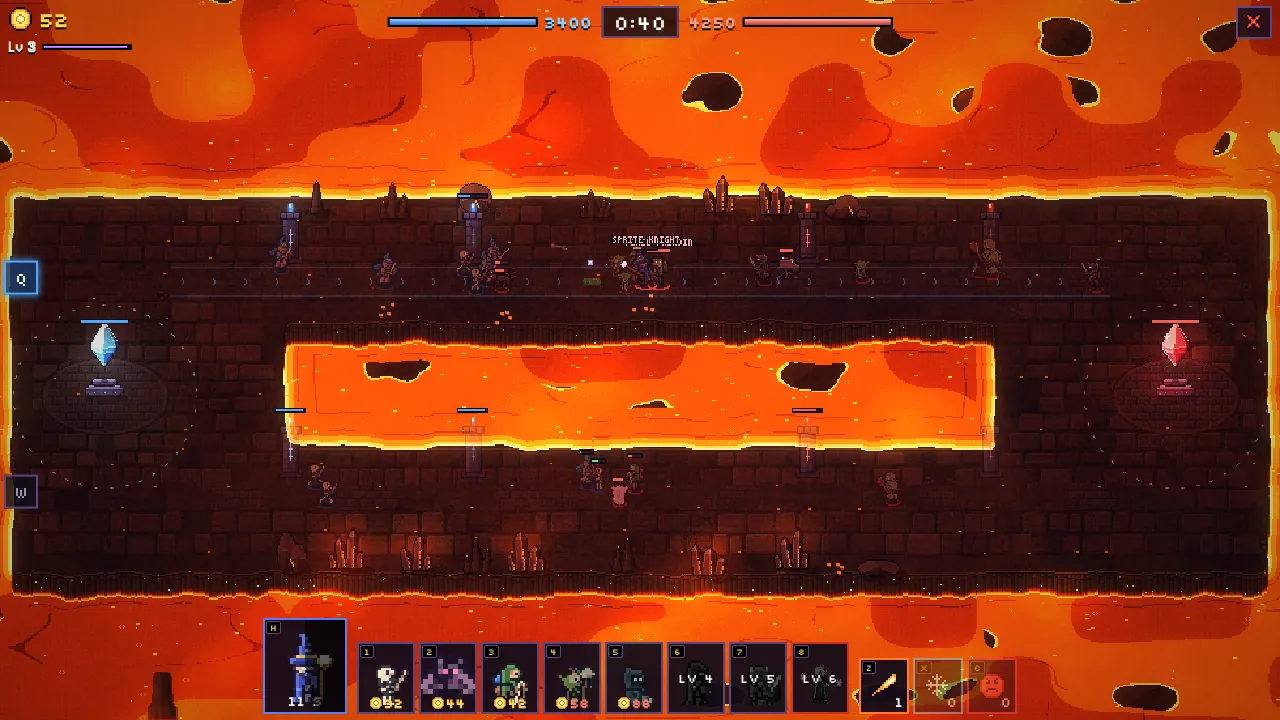
Rogue Defenders is free to try for up to 4 heroes. You hold a crystal against waves of monsters, and the call writes its own lines: "Mage, Frost Nova the left side!" Empty seats can be bots, and they follow quick messages like Help!, Defend the crystal! and Go to the objective!. Fancy fighting each other instead? Crystal Clash is a 1v1 or 2v2 lane battle. Play Rogue Defenders.
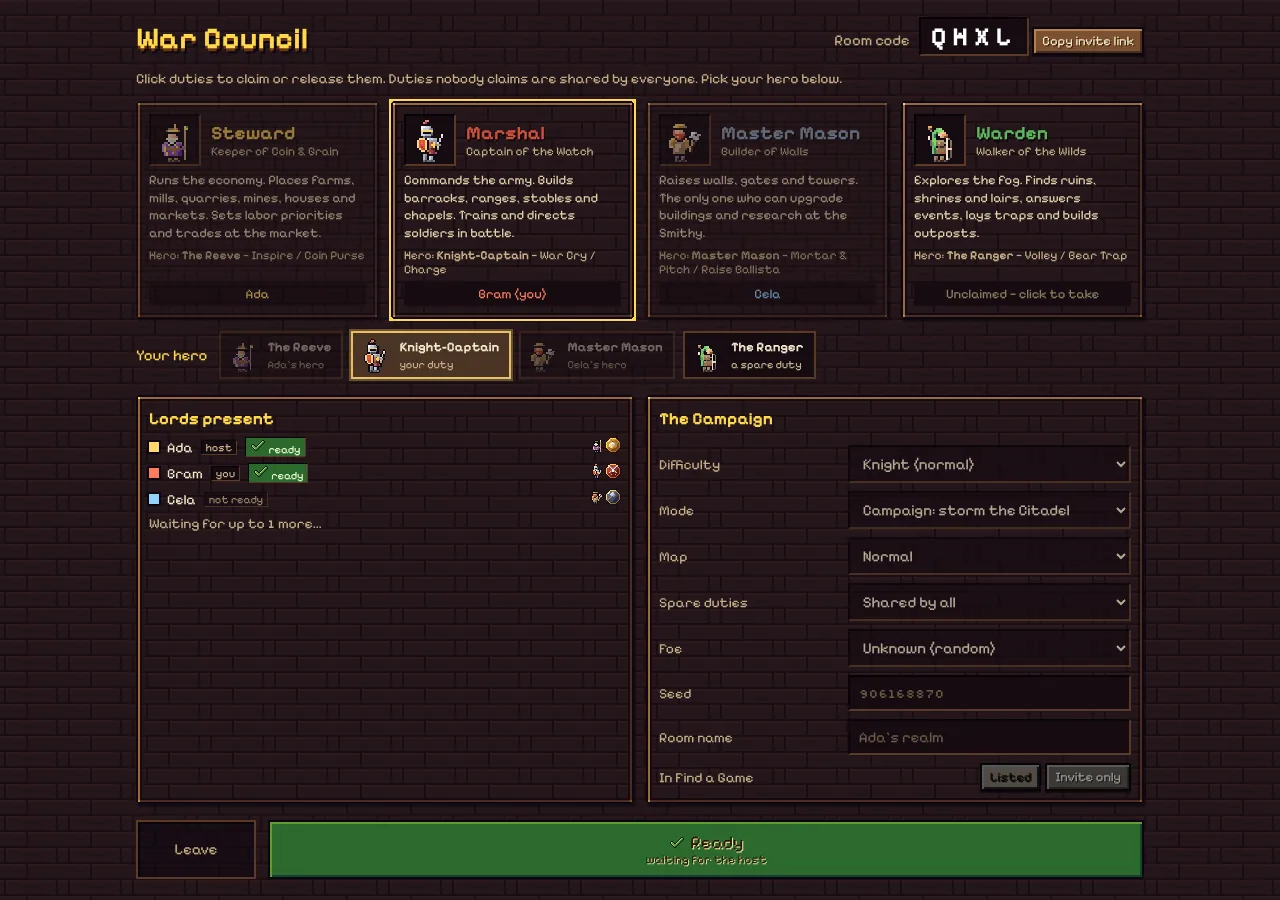
Hearthfall is the chattiest game we make, because it needs talking. Each of you holds a duty, and only that duty can do its job: only the Master Mason upgrades or orders repairs, only the Marshal trains soldiers. Pings (G, or X for danger) and a Tasks board help, but your voice is faster. It's early access with the Pixaplay Pass. Play Hearthfall.
5 to 20 on the call: one big, noisy room
Pecking Order is our pick. It's a chicken party game for up to 20 players, free to play in full. Seven modes keep it fresh: race up a tower, outrun the rising doom laser, steal the crown, or hide in a bush from the fox until somebody farts and gives the game away. A match is first to 3 round wins, so nobody sits out for long. Play Pecking Order.
Hosting a really big crowd? Pecking Order's guide to party games for 20 players covers room settings and the best modes.
What about Discord Activities?
Discord has its own games, called Activities. You start them from the rocket button in a voice channel, and Discord has opened them to everyone in a call, on desktop, web or mobile, free (Discord). They're handy because nobody leaves Discord.
When are they the better pick? When your whole group is on Discord and wants something quick inside the app. When are browser games better? When a friend isn't on Discord, when you want a bigger room or a deeper game, or when you want to keep a party and progress across nights. Pixaplay's games aren't Activities: they open in a normal browser, so even a friend on a plain phone call can play.
Can phone players join a Discord game night?
Absolutely. A phone can sit in the Discord call and run the game in its browser at the same time; on a small screen, tuck the call into the background. Some people prefer the call on the phone and the game on a laptop. Either way, the room doesn't mind what joined it.
Pecking Order has several touch layouts, and Rogue Defenders has on-screen controls. Our guide to games phone and PC can play together compares them game by game.
Tips for a smoother game night
- Turn the game music down. Eight soundtracks at once drown out the jokes.
- One person explains, once. Then play. Each game has its own How to Play for anyone who wants details.
- Pass the host role around. In Pecking Order the host picks the mode and rules; rotating keeps everyone invested.
- Have a backup game. If one doesn't land, switch. With nothing installed, that takes thirty seconds.
- Use your server. Pin the room code in a text channel. Looking for more players? Pecking Order has its own community Discord, linked from its start page.
Questions people ask
Do I need to screen share to play a browser game on Discord?
No. With Pixaplay's games everyone opens the game in their own browser tab and joins the same room, so each of you sees a sharp screen and controls your own character. Discord just carries the voices. Screen sharing only makes sense for one-screen games, like a Jackbox host's TV.
Can friends on phones join a Discord game night?
Yes. Stay in the Discord call on the phone and open the game in the phone's browser, or join the call on one device and play on another. Pecking Order and Rogue Defenders both have touch controls, and a room code works the same on every device.
Are Pixaplay games Discord Activities?
No. Pixaplay games are ordinary web pages, not Activities, so they don't launch from Discord's rocket menu. The upside: friends who aren't on Discord can join from any browser. Pecking Order also has its own community Discord server, linked from its start page, if you want more people to play with.
What is a good Discord game for 10 people?
Pecking Order is our pick for an action game: it fits up to 20 players in one room, it's free to play, and a match is first to 3 round wins, so nobody waits long. For a calmer group of 10, a drawing game like Gartic Phone is a lovely choice too.