

How to
How to Join a Friend's Game Online on Pixaplay
- On Pixaplay you join a friend's game with the Join button by their name, an invite, a room code or link, or by following your party's leader.
- Open the Pixaplay overlay with Shift+Tab on a keyboard, or the floating Pixaplay button on a phone.
- A party holds up to 8 players and follows its leader into whatever game they start.
- Friends can join me is on by default; turn it off and friends get in only by your invite.
To join a friend's game online on Pixaplay, open the Pixaplay overlay (Shift+Tab, or the floating Pixaplay button on a phone) and tap Join next to their name. No Join button? Ask for an invite, type their room code or open their invite link. Better still, make a party: it follows its leader into every game.
Your friend is already mid-round, shouting "where are you?" down the call. Here's how to be there in under a minute, then what to do when something won't let you in. Still choosing a game? Start with browser games to play with friends.
What do you need before you can join?
The quickest ways need you and your friend to be friends on Pixaplay. That takes a minute, once:
- Sign in with a Pixaplay account. It's free and works in every Pixaplay game.
- Add your friend by their Pixaplay username, on the Friends page or in the overlay. They tap yes, and you're friends.
- Find the overlay. In any Pixaplay game, press Shift+Tab on a keyboard, or tap the floating Pixaplay button (a little cube you can drag around, or tuck into a thin pink tab at the screen's edge).
The overlay looks the same in every game: friends and what they're playing, your party, chat and Help. A quick tour of the account itself is in what Pixaplay is.
The five ways in
| Way | Need an account? | Best when |
|---|---|---|
| Join button | Yes, both of you | Your friend is already playing |
| Invite | Yes, both of you | The host is pulling in one or two people |
| Party | Yes, everyone | A group hopping from game to game |
| Invite link | Not always | You're in a group chat or a Discord channel |
| Room code | Not always | Reading it out on a call, or friends playing as guests |
1. Tap Join
When a friend is in a room their game lets friends join, a Join button sits next to their name, in the overlay and on the Friends page. Tap it and you land in their room. That's it.
It even works from a different game. Playing Rogue Defenders while your friend is in Pecking Order? The button reads Join in Pecking Order and takes you straight into their room. Pecking Order, Rogue Defenders and Hearthfall all support it.
2. Send or accept an invite
The host opens the overlay, taps a friend and sends an invite. The friend gets a pop-up, "Ann invited you to Pecking Order", with a Join button. It also shows up as a card in your chat with them.
Invites last two minutes, so answer quickly. The same friend can send you the same kind of invite once every 30 seconds, which keeps things friendly rather than spammy.
3. Make a party
For a group, a party is the easy button. Make one in the overlay and invite your friends. Parties are invite-only and hold up to 8 players, with one leader.
When the leader starts a game, the party follows. In Pecking Order, members follow the leader from room to room by themselves. In the other games, the overlay shows "Ann went to Pecking Order · Follow", one tap away. Your party has its own chat that travels with you.
Someone goes quiet for 10 minutes? They drop out of the party. The leader leaves? Someone else takes over.

4. Open an invite link
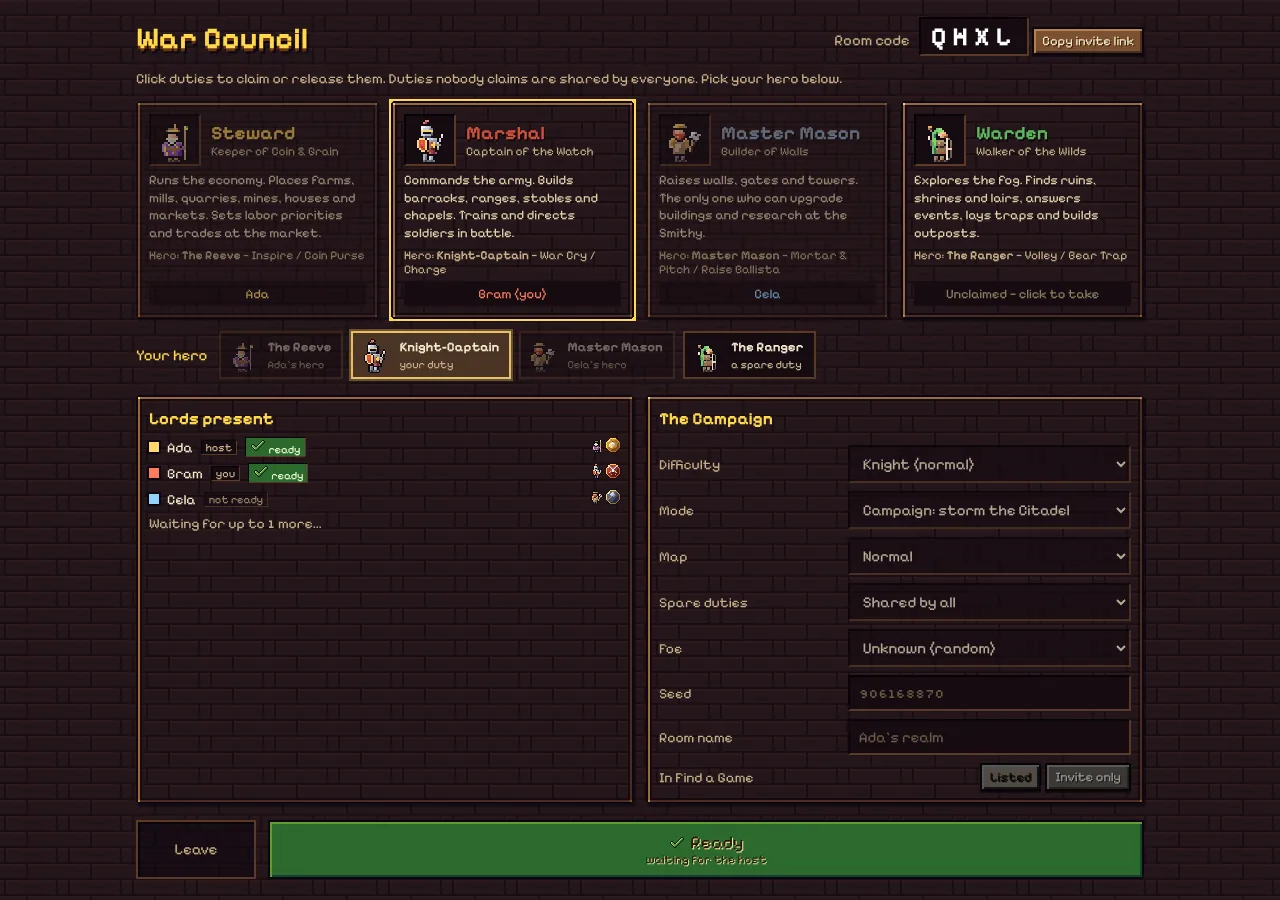
Some games hand you a link to paste. Hearthfall's lobby has a Copy invite link button right next to the room code. Pixaplay's own invites and Join buttons use links too, which is why they drop you in the right room rather than on a menu.
5. Type the room code
Every room has a code. In Pecking Order, Rogue Defenders and Hearthfall it's 4 letters, never with an I or an O. The host shares it and everyone types it in.
Codes are the surest way when a friend isn't signed in, and the easiest to share on a call. Tip from our Discord call guide: paste the code in the text chat instead of spelling it out loud.
Where does each game keep its rooms?
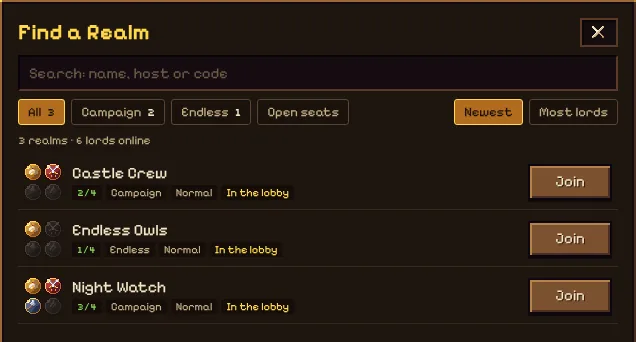
- Pecking Order: host a game (show it in the game browser or keep it code-only), browse open games, or hit Quick Play to drop into a public one. The host picks the room size, up to 20. Your Coop has its own link friends can visit too. Play Pecking Order.
- Rogue Defenders: make an online room and share its 4-letter code, or browse rooms with a search, a Mode filter and an open-seats switch. Hosts can make a room private or lock it. Up to 4 together; Crystal Clash rooms seat 2 or 4. Play Rogue Defenders.
- Hearthfall: host a game and share its code or invite link, or find one in Find a Game, which shows which duties are already taken. You can drop into a game already running while there's a seat. Up to 4, with the Pixaplay Pass. Play Hearthfall.
Why can't I join my friend's game?
The usual suspects, and the fix:
- No Join button. Your friend is on a menu, has switched off Friends can join me, or is appearing offline. Ask for an invite or the code.
- The room is full. Pecking Order holds up to 20 (the host may set fewer); Rogue Defenders and Hearthfall hold 4. Ask the host to start a fresh room, or wait for the next game.
- "Playing on another device". Your account plays in one place at a time, across every game. Joining on a new device moves your game there; tap Play here where you want to be.
- Hearthfall asks for the Pass. It's in early access, and only Pass members can create or join a room. See the Pixaplay Pass guide.
- Invites never arrive. Check that Mute invites is off. On a phone, turn on Pixaplay notifications so invites reach you even with Pixaplay closed (on iPhone, add Pixaplay to the Home Screen first).
- Your friend is playing as a guest. Guests can't be added as friends. Use the room code.
How do you keep a quiet game to yourself?
Sometimes you just want a solo round. Three switches, in the overlay and on the Friends page:
- Friends can join me: on by default. Switch it off and your Join button vanishes for friends; your invites still work.
- Mute invites: pauses game and party invites for a while.
- Appear offline: friends see you as offline in every game.
If someone's being a pain, Block them: they can't message, invite or add you again, and they aren't told.
Next up: if your group mixes phones and laptops, read games phone and PC can play together, and for team picks see co-op browser games for 2 to 4 friends.
Questions people ask
Why don't I see a Join button next to my friend?
Join only shows when your friend is in a room their game lets friends join, and they haven't switched off Friends can join me. If they're on a menu, between rooms, or appearing offline, there's nothing to join yet. Ask them to invite you, or to drop the room code in the chat.
My friend's invite disappeared. What happened?
Invites last two minutes, so an old one fades away. Ask for a fresh one; the same friend can send you the same kind of invite again after 30 seconds. If no invites reach you at all, check that Mute invites isn't on, in the overlay or on the Friends page.
Can I join a friend without a Pixaplay account?
Often, yes. In Pecking Order anyone can play as a guest and type a room code. The friends list, invites, Join and parties need an account, because guests can't be added as friends. Hearthfall needs you signed in with the Pixaplay Pass to join any room.
Why did joining kick me out of the game on my other device?
A signed-in Pixaplay account plays on one device or tab at a time, across every game, and the newest one wins. Joining on your phone moves your game there, and the laptop shows Playing on another device with a Play here button to take it back.
How many friends can follow me in a party?
A Pixaplay party holds up to 8 players, you included. When you start a game or go to a room, the party comes with you. If someone goes quiet for 10 minutes they leave the party, and if the leader leaves, the party passes to someone else.